> For the complete documentation index, see [llms.txt](https://docs.dropzone.ai/llms.txt). Markdown versions of documentation pages are available by appending `.md` to page URLs; this page is available as [Markdown](https://docs.dropzone.ai/integrations/data/urlhaus.md).
# URLhaus
{% hint style="info" %}
URLhaus is a Threat Intelligence (TI) integration. TI Data Source integrations are used during investigations to improve analysis and in interactive chat to help answer questions. They are optional, but enabling more tooling integrations enhances Dropzone analysis.
{% endhint %}
The Dropzone AI platform supports [URLhaus](https://urlhaus.abuse.ch), a project by abuse.ch that collects and shares malicious URLs to help security teams identify and mitigate threats. During an investigation, Dropzone can utilize URLhaus to gather information on malicious URLs, aiding in the identification and blocking of threats by providing real-time data on harmful websites and their associated activities.
## Enable URLhaus
The URLhaus integration does not require any API keys or credentials.
To enable the Data Source integration, do the following:
* Navigate to your Dropzone AI tenant home page e.g. https\://*mycompany*.dropzone.app
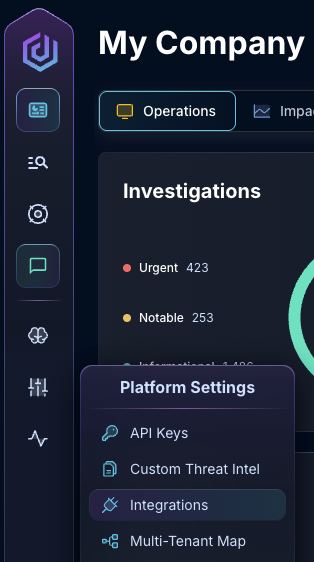
* In the left side bar, navigate to Platform Settings > Integrations
Integrations Dropdown
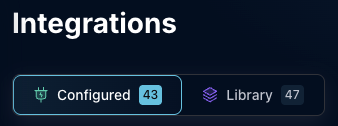
* Click "Configured"
Click Configured
* In the Search bar, search URLhaus, then click the kebab on the right
Select URLhaus
* Click "Enable data source" to enable URLhaus
Enable data source
If you have any errors contact our Customer Success team.