> For the complete documentation index, see [llms.txt](https://docs.dropzone.ai/llms.txt). Markdown versions of documentation pages are available by appending `.md` to page URLs; this page is available as [Markdown](https://docs.dropzone.ai/integrations/remediator/okta_remediator.md).
# Okta
## Okta
The Dropzone AI Platform integrates with Okta to query organizational data such as logins and application access. The Okta Remediator integration allows Dropzone AI to perform automated containment actions during investigations. See the [Remediator](/integrations/remediator.md) documentation for more information.
### Integrations Overview
To enable these integrations you will perform the following actions:
* Create a Read Only Administrator responsible for the API key
* Create an API Key
See the [Okta Data Source](https://docs.dropzone.ai/integrations/data/okta) page for instructions on how to complete these actions.
## Enable Okta
To enable the Remediator integration, do the following:
* Navigate to your Dropzone AI tenant home page e.g. https\://*mycompany*.dropzone.app
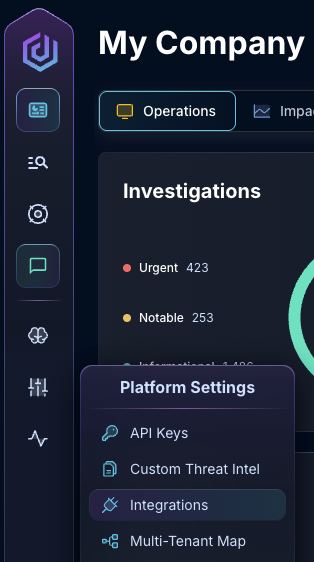
* In the left side bar, navigate to Platform Settings > Integrations
Integrations Dropdown
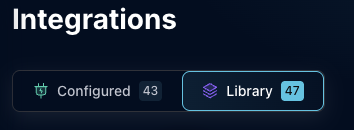
* Click "Library"
{% hint style="info" %}
If you have previously integrated this application, click "Configured"
{% endhint %}
Click Library
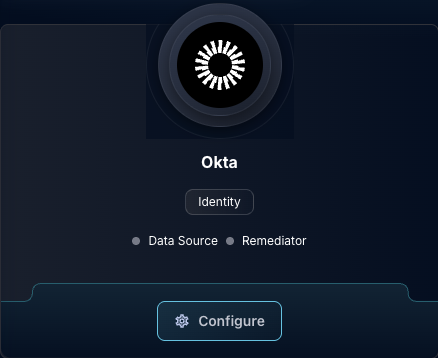
* In the Search bar, search Okta, then click "Configure"
The Okta Tile
* Input your Okta domain and the API key
* In the "Available Containment Actions" section, check the Containment Actions you wish to enable Dropzone to perform
The Okta Remediator Configuration
* Click "Test & Save" to finish
{% hint style="warning" %}
Dropzone does not test that your permissions have been configured correctly when running Remediator Containment Actions. Be sure to double check that your configuration is correct and up to date.
{% endhint %}
If you have any errors contact our Customer Success team.