> For the complete documentation index, see [llms.txt](https://docs.dropzone.ai/llms.txt). Markdown versions of documentation pages are available by appending `.md` to page URLs; this page is available as [Markdown](https://docs.dropzone.ai/integrations/remediator/crowdstrike_remediator.md).
# Crowdstrike
## CrowdStrike
The CrowdStrike Remediator integration allows Dropzone AI to perform automated containment actions during investigations. See the [Remediator](/integrations/remediator.md) documentation for more information.
### Integration Overview
To enable these integrations you will perform the following actions:
* Create API credentials in the CrowdStrike dashboard
* Install the credentials into your Dropzone tenant
* Select integration parameters, such as which remediates actions to perform
See the [CrowdStrike Data Source](https://docs.dropzone.ai/integrations/data/crowdstrike_data) page for instructions on how to complete these actions.
If you have already configured the Data Source integration, you will need to reconfigure it with the following additional remediator scopes:
| Scope | Read | Write | Used By |
| ---------------- | ---- | ----- | ---------- |
| `Hosts` | ✓ | ✓ | Remediator |
| `IOC Management` | ✓ | ✓ | Remediator |
## Enable CrowdStrike
To enable the Remediator integration, do the following:
* Navigate to your Dropzone AI tenant home page e.g. https\://*mycompany*.dropzone.app
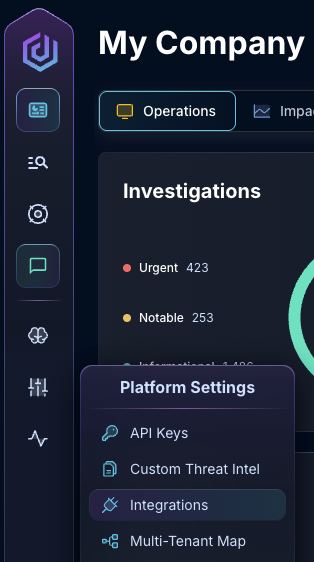
* In the left side bar, navigate to Platform Settings > Integrations
Integrations Dropdown
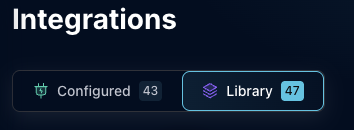
* Click "Library"
{% hint style="info" %}
If you have previously integrated this application, click "Configured"
{% endhint %}
Click Library
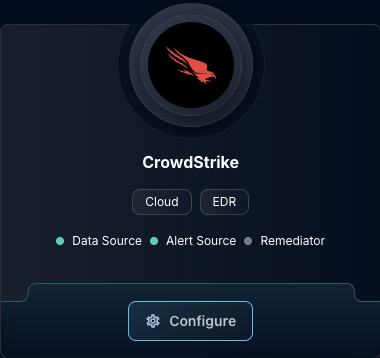
* In the Search bar, search Crowdstrike, then click "Configure"
The Crowdstrike Tile
* Under the Remediator header, input the Client ID and Client Secret
* If you use a non-default URL for the CrowdStrike API, configure the API Base URL as well
The Crowdstrike Remediator Configuration (pt 1)
* In the "Available Containment Actions" section, check the Containment Actions you want to enable Dropzone to perform
The Crowdstrike Remediator Configuration (pt 2)
* Click "Test & Save" to finish
{% hint style="warning" %}
Dropzone does not test that your permissions have been configured correctly when running Remediator Containment Actions. Be sure to double check that your configuration is correct and up to date.
{% endhint %}
If you have any errors contact our Customer Success team.