> For the complete documentation index, see [llms.txt](https://docs.dropzone.ai/llms.txt). Markdown versions of documentation pages are available by appending `.md` to page URLs; this page is available as [Markdown](https://docs.dropzone.ai/integrations/data/people-data-labs.md).
# People Data Labs
{% hint style="info" %}
People Data Labs is a Threat Intelligence (TI) integration. TI Data Source integrations are used during investigations to improve analysis and in interactive chat to help answer questions. They are optional, but enabling more tooling integrations enhances Dropzone analysis.
{% endhint %}
The Dropzone platform integrates with [People Data Labs](https://docs.peopledatalabs.com/), a B2B data provider with a robust database of individuals and companies, including resumes, personal history, company funding and headcount, etc.
## Create an API Key
People Data Labs requires an API key to enable.
To obtain an API Key, do the following:
* If you do not already have a People Labs account, create a free account [here](https://peopledatalabs.com/signup)
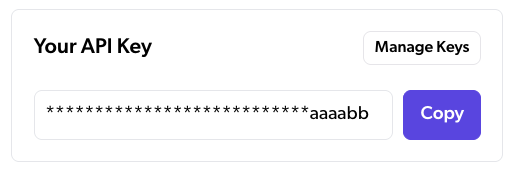
* In your People Data Labs dashboard, locate your API key and copy it for use later in the Dropzone UI
Copy your API key
## Enable People Data Labs
To enable the Data Source integration, do the following:
* Navigate to your Dropzone AI tenant home page e.g. https\://*mycompany*.dropzone.app
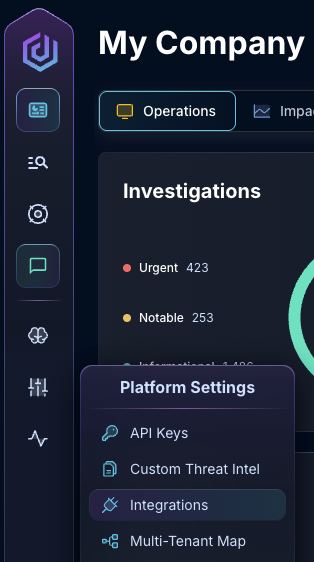
* In the left side bar, navigate to Platform Settings > Integrations
Integrations Dropdown
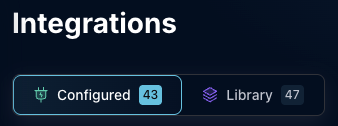
* Click "Configured"
Click Configured
* In the Search bar, search People Data Labs, then click it
Select People Data Labs
* Input the API Key
The People Data Labs configuration
* Click "Test & Save" to finish
If you have any errors contact our Customer Success team.