> For the complete documentation index, see [llms.txt](https://docs.dropzone.ai/llms.txt). Markdown versions of documentation pages are available by appending `.md` to page URLs; this page is available as [Markdown](https://docs.dropzone.ai/integrations/data/extrahop_data.md).
# ExtraHop
## ExtraHop
The Dropzone AI Platform integrates with [ExtraHop](https://www.extrahop.com/), a Network Detection and Response (NDR) platform that provides real-time, packet-level visibility across hybrid and multi-cloud environments.
### Integration Overview
To enable these integrations you will perform the following actions:
* Grant REST API Access
* Locate your RevealX 360 API Endpoint
* Generate RevealX 360 API Credentials
* Enable the Data source in your Dropzone AI tenant
### Grant REST API Access
To grant REST API Access, do the following:
* As a user with system and access administration privileges, log in to ExtraHop RevealX 360
* In the top right of the page, navigate to System Settings > All Administration
* Click "API Access"
* In the Manage API Access section, click "Enable"
### Locate your API Endpoint
In the API Access page of your RevealX360 account, locate your endpoint in the "API Endpoint" section. The hostname does not include the /oauth2/token.
Copy the value shown for use later in the Dropzone UI, where it is called "Hostname."
### Create API Credentials
To create API Credentials, do the following:
* As a user with system and access administration privileges, log in to ExtraHop RevealX 360
* In the top right of the page, navigate to System Settings > All Administration
* Click "API Access"
* Click "Create Credentials"
* Name the credentials something memorable, such as "Dropzone AI"
* Grant the credentials the following privilege levels:
* Full [NDR Module Access](https://docs.extrahop.com/26.3/users-overview/#extrahop-user-account-privileges:~:text=access%20module%20features.-,NDR%20Module%20Access,-Allows%20the%20user)
* Full [NPM Module Access](https://docs.extrahop.com/26.3/users-overview/#extrahop-user-account-privileges:~:text=and%20threat%20briefings.-,NPM,-Module%20Access)
* [Full Read-Only](https://docs.extrahop.com/26.3/users-overview/#extrahop-user-account-privileges)
{% hint style="info" %}
Full NPM Module Access is only required if you wish to ingest [performance detections](https://docs.extrahop.com/26.3/detections-overview/#:~:text=to%20take%20action.-,Modules,-and%20detections) as an alert source.
{% endhint %}
* In the "Packet Access" section, do not enable packet retrieval
* Click "Save"
* Copy and save the ID and Secret values shown for use later in the Dropzone UI, where they are called "ID" and "Secret" respectively
* Click "Done"
## Enable ExtraHop
To enable the Data Source integration, you will need the following information:
| Dropzone Field | Source |
| -------------- | ------------------------------------------------------------------------ |
| ID | The ID value you copied earlier |
| Secret | The Secret value you copied earlier |
| Hostname | The hostname of your ExtraHop API, e.g. *example.api.cloud.extrahop.com* |
* Navigate to your Dropzone AI tenant home page e.g. https\://*mycompany*.dropzone.app
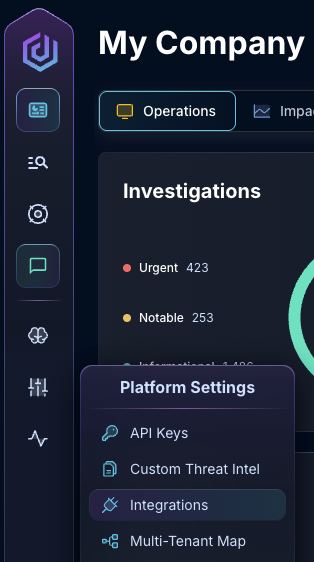
* In the left side bar, navigate to Platform Settings > Integrations
Integrations Dropdown
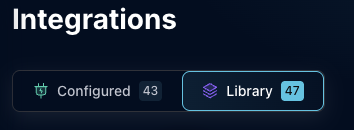
* Click "Library"
{% hint style="info" %}
If you have previously integrated this application, click "Configured"
{% endhint %}
Click Library
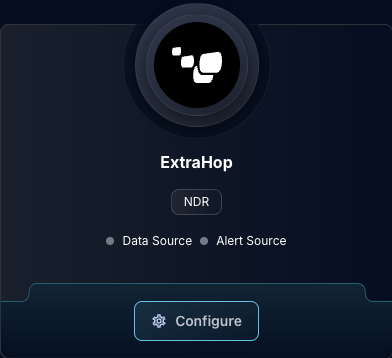
* In the Search bar, search ExtraHop, then click "Configure"
The ExtraHop tile
* Under the Data Source header, input the ID, Secret, and Hostname
The ExtraHop Data Source Configuration
* Click "Test & Save" to finish
If you have any errors contact our Customer Success team.