# CrowdStrike

{% hint style="success" %}
Note that this is separate from the "CrowdStrike Falcon Intelligence" Threat intelligence data source.
{% endhint %}

The Dropzone AI platform integrates with the CrowdStrike APIs. This document describes how to set up API credentials and install them into the Dropzone platform.

## Integration Overview

To enable these integrations you will perform the following actions:

* Create API credentials in the CrowdStrike dashboard
* Install the credentials into your Dropzone tenant (Data Source and Alert Source)
* Select integration parameters, such as which alert types to sync

## Create an API Key

* As an Admin, go to your CrowdStrike dashboard, e.g. https\://*falcon.us-#*.crowdstrike.com/
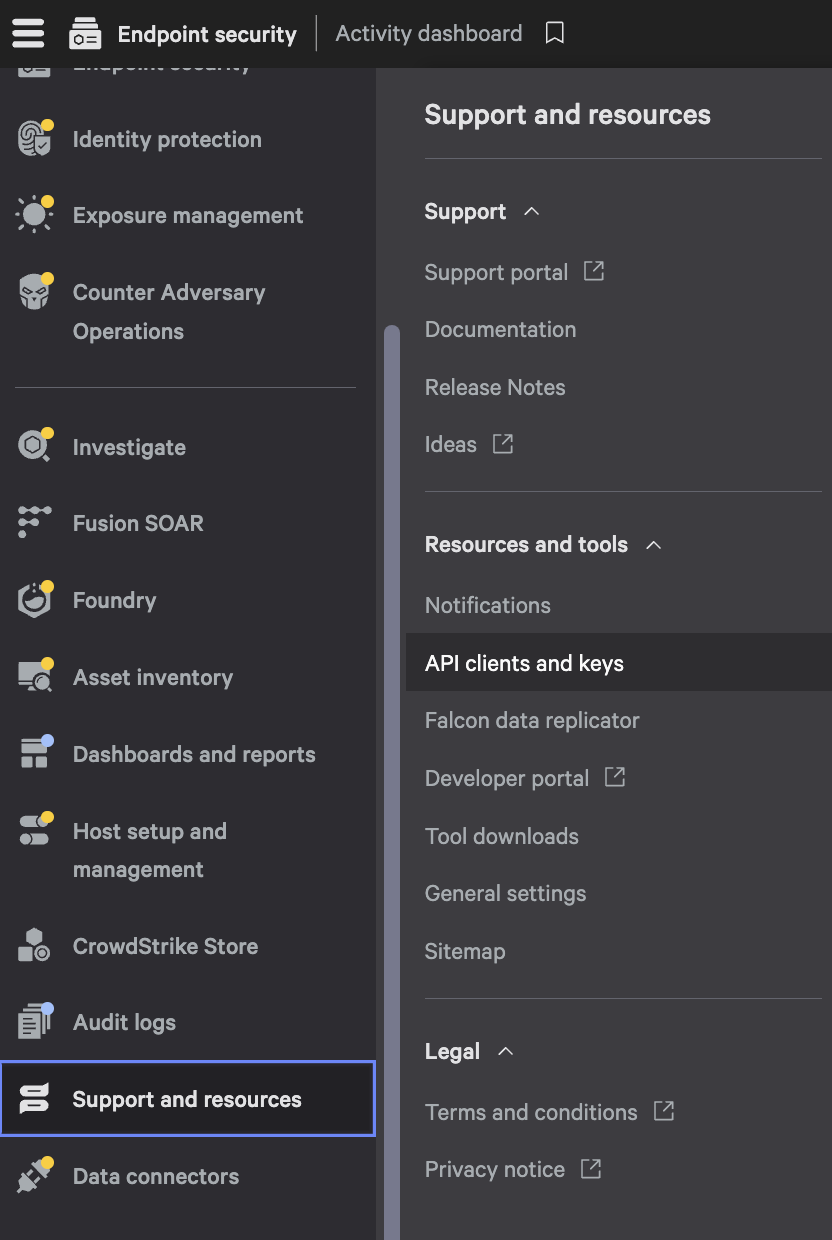
* From the menu in the upper left, navigate to Support and Resources > API clients and keys

<figure><img src="/files/sYgCICJsGcFEZFanrpV9" alt="" width="375"><figcaption><p>Click API clients and keys</p></figcaption></figure>

* On the right, click "Create API Client"

<figure><img src="/files/9K9if4XaMkcMrfXPmJEf" alt=""><figcaption><p>Create API Client</p></figcaption></figure>

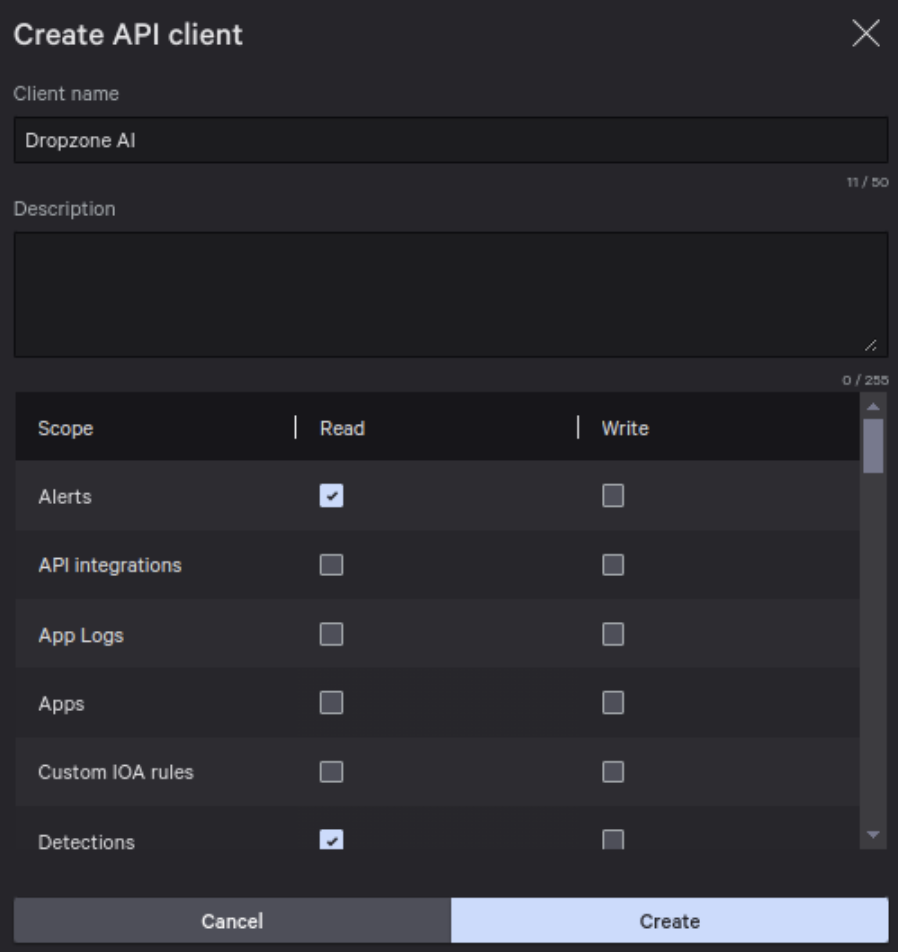
* On the "Create API Client" page, input "Dropzone AI" in the client name field. Under "Description," write "Dropzone AI Integration Key"

<figure><img src="/files/gLXKDfOdpiPyshDN5q55" alt=""><figcaption><p>Create API Client Screen</p></figcaption></figure>

* Enable the following scopes:

| Scope                         | Read | Write | Used By                        |
| ----------------------------- | ---- | ----- | ------------------------------ |
| Alerts                        | ✓    |       | Alert Source, Data Source      |
| API Integrations              | ✓    |       | Alert Source, Data Source      |
| Cases                         | ✓    | ✓     | Alert Source, Data Source      |
| Detections                    | ✓    |       | Alert Source, Data Source      |
| Hosts                         | ✓    | ✓     | Data Source, Remediator Source |
| NGSIEM                        | ✓    | ✓     | Data Source                    |
| Incidents                     | ✓    |       | Alert Source, Data Source      |
| Quarantined Files             | ✓    |       | Data Source                    |
| Real Time Response            | ✓    | ✓     | Data Source                    |
| Event Streams                 | ✓    |       | Data Source                    |
| Threatgraph                   | ✓    |       | Data Source                    |
| Identity Protection Entities  | ✓    |       | Data Source                    |
| Identity Protection Timeline  | ✓    |       | Data Source                    |
| Identity Protection GraphQL   |      | ✓     | Data Source                    |
| Sandbox (Falcon Intelligence) | ✓    | ✓     | Data Source                    |
| Indicators of Compromise      | ✓    | ✓     | Remediator Source              |

{% hint style="info" %}
Some of these scopes are only necessary for the Remediator integration. If you don't intend to perform this integration, you may ignore them.
{% endhint %}

* Write permission details
  * `Cases`: Write permissions are only required when used in Response Actions
  * `Hosts`: Write permissions are only required when used in Remediator Containment Actions
  * `NGSIEM`: Write permissions are required when NextGen SIEM is enabled in order to execute NGSIEM queries ([docs](https://www.falconpy.io/Service-Collections/NGSIEM.html#startsearchv1))
  * `Real Time Response`: Write permissions are required when File Retrieval is enabled ([docs](https://www.falconpy.io/Service-Collections/Real-Time-Response.html#rtr_executeactiverespondercommand))
    * Dropzone *only* uses Real Time Response to perform `get <file>` commands
  * `Identity Protection GraphQL`: Write permissions are required when Identity Protection is enabled in order to execute queries for user directory information ([docs](https://www.falconpy.io/Service-Collections/Identity-Protection.html#api_preempt_proxy_post_graphql))
  * `Sandbox (Falcon Intelligence`: Write permissions are only required when File Detonation is enabled in order to upload collected or attached files in the Falcon Sandbox
  * `Indicators of Compromise`: Write permissions are only required when used in Remediator Containment Actions
* When done, click "Create"
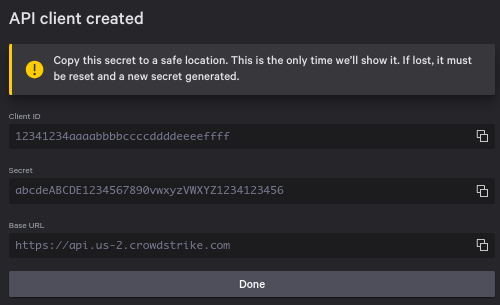
* Copy the Client ID and Secret for use later in the Dropzone UI where they are called "Client ID" and "Client Secret" respectively

<figure><img src="/files/Zx5mxxH4fgn6Z32n0Bhn" alt=""><figcaption><p>Copy your API Credentials</p></figcaption></figure>

## Enable Crowdstrike

The Data source integration allows Dropzone AI to interact with your CrowdStrike environment to gather information for use in investigation analysis and interactive chat.

You'll need the following information:

| Dropzone Field | Source                                   |
| -------------- | ---------------------------------------- |
| Client ID      | The "Client ID" value you copied earlier |
| Client Secret  | The "Secret" value you copied earlier    |

To enable the Data Source integration, do the following:

* Navigate to your Dropzone AI tenant home page e.g. https\://*mycompany*.dropzone.app
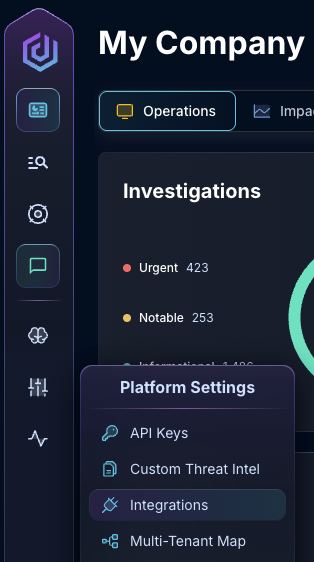
* In the bottom left hand corner, navigate to Settings > Integrations

<figure><img src="/files/zN02u3HObDaemUY8E1kD" alt=""><figcaption><p>Integrations Dropdown</p></figcaption></figure>

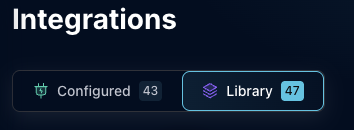
* Click "Available"

<figure><img src="/files/brI7n2Ux40Tk0jTwBCVh" alt=""><figcaption><p>Click Available</p></figcaption></figure>

* In the Search bar, search CrowdStrike, then click "Configure"

<figure><img src="/files/Wv7ZdJQpOMEXUBCsDeE4" alt=""><figcaption><p>The Crowdstrike Tile</p></figcaption></figure>

{% hint style="success" %}
Make sure you're using the EDR CrowdStrike tile, not the "CrowdStrike Falcon Intelligence" Threat Intelligence tile.
{% endhint %}

* Under the Data Source header, input the Client ID and Client Secret. If you use a non-default URL for the CrowdStrike API, configure the API Base URL as well

<figure><img src="/files/OZzqhp6hCEywcCKctIzW" alt=""><figcaption><p>The CrowdStrike Data Source Configuration (pt 1)</p></figcaption></figure>

* Check the boxes to enable Crowdstrike's [Identity Protection](https://falconpy.io/Service-Collections/Identity-Protection.html), [Next-Gen SIEM](https://developer.crowdstrike.com/docs/ng-siem/), [Real Time Response](https://falconpy.io/Service-Collections/Real-Time-Response.html), and [Falcon Sandbox](https://falconpy.io/Service-Collections/Falconx-Sandbox.html) services
  * These services are optional, but enabling them enhances the quality of Dropzone investigations

{% hint style="info" %}
Enabling "file reputation lookup" for Falcon Sandbox will allow Dropzone to retrieve files in the Falcon Sandbox.

Enabling "file detonation" will allow Dropzone to upload collected or attached files in the Falcon Sandbox. Dropzone will wait the the "Max detonation wait time" for results from the detonation before proceeding with investigation.
{% endhint %}

<figure><img src="/files/tNT8ZI7q8XXewUQtMNcJ" alt=""><figcaption><p>The CrowdStrike Data Source Configuration (pt 2)</p></figcaption></figure>

* Only check `Special Member CID Handling` if your Dropzone AI representative indicates that your environment requires it

<figure><img src="/files/YXNC4XEMS3ZjR9wckSbP" alt=""><figcaption><p>The CrowdStrike Data Source Configuration (pt 3)</p></figcaption></figure>

* Click "Test & Save" to finish

If you have any errors engage your Dropzone AI support representative.


---

# Agent Instructions: Querying This Documentation

If you need additional information that is not directly available in this page, you can query the documentation dynamically by asking a question.

Perform an HTTP GET request on the current page URL with the `ask` query parameter:

```
GET https://docs.dropzone.ai/integrations/data/crowdstrike_data.md?ask=<question>
```

The question should be specific, self-contained, and written in natural language.
The response will contain a direct answer to the question and relevant excerpts and sources from the documentation.

Use this mechanism when the answer is not explicitly present in the current page, you need clarification or additional context, or you want to retrieve related documentation sections.