Dropzone's integration is only with the Jira Cloud, however support for on-prem Jira Datacenter is on the roadmap.
The Dropzone platform supports Jira, a project management and issue tracking tool from Atlassian.
Create an API Key
Jira requires an API key to enable. The API key is associated with an account, so you may wish to create a dedicated service user rather than using your own.
To obtain an API Key, do the following:
Log into your Jira account e.g. https://mycompany.atlassian.net as the API user for Dropzone AI
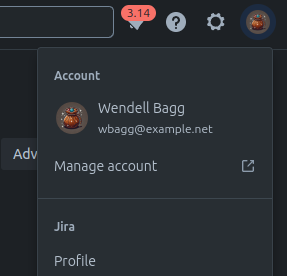
Click on your user icon and click "Manage Account"
Go to "Manage Account"

In the top banner, bavigate to "Security"
Navigate to "Security"
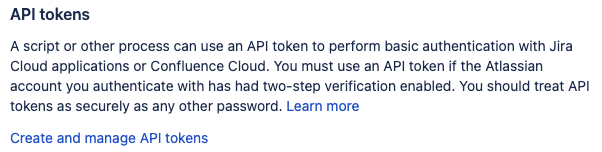
Under "API tokens," click "Create and manage API tokens"
Click "Create and manage API tokens"

Click "Create API token"
Create API token
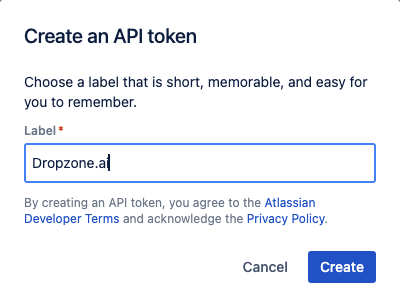
Enter a name to identify the API key, such as Dropzone.ai, then click "Create"
Create API token
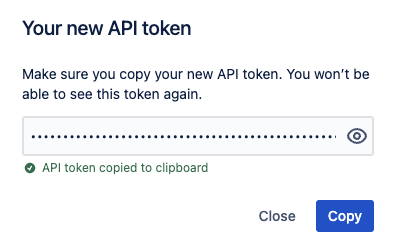
Store the API token shown in a secure location for use later in the Dropzone UI where it is called "API Token"
Copy API token
Enable Jira
To enable the Alert Source integration, you will need the following information:
Dropzone Field
Source
Server
The same as your company server url in Jira, eg mycompany.atlassian.net
Username
The username of the account that created the API
API Token
The API token value you generated earlier
To enable the Alert Source integration, do the following:
Navigate to your Dropzone AI tenant home page e.g. https://mycompany.dropzone.app
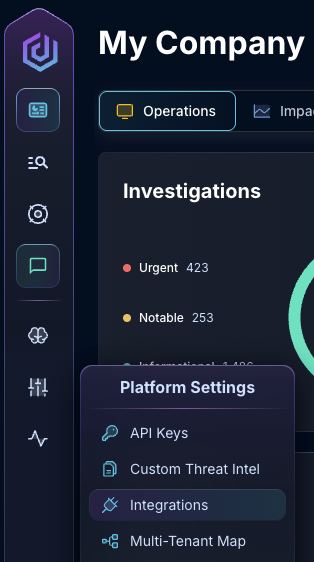
In the bottom left hand corner, navigate to Settings > Integrations
Integrations Dropdown
Click "Available"
Click Available
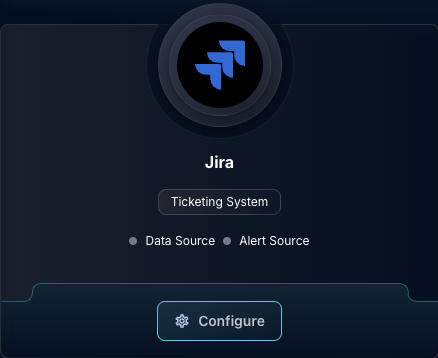
In the Search bar, search Jira, then click "Configure"
The Jira Tile
Under the Alert Source heading, input the Server, Username, and API Token
In the "Ticket alert workflow" section, select an option from the "Alert Extraction Strategy"
Ask your Dropzone support representative if you do not know which to use
The Jira Alert Source configuration (pt 1)
Under "Jira Issue Filter," you must input a Jira JQL search query to identify Jira tickets that contain alerts to investigate
If you want Dropzone to push its investigation results back to Jira, check the box labeled "Comment Investigation Results to ticket"
Input your desired Poll interval and lookback
The Jira Alert Source configuration (pt 1)
Click "Test & Save" to finish
If you have any errors engage your Dropzone AI support representative.